Ready-made + Custom NFC + QR review displays

Help customers choose your businesswith Google reviews.

Tapvero makes physical NFC + QR review displays for businesses. Order a ready-made Stand or Plate, or request a branded Custom rollout. One tap or scan opens your saved Google review page.

  • Ready-made Stand + Plate
  • Branded Custom Stand
  • NFC + QR in every format
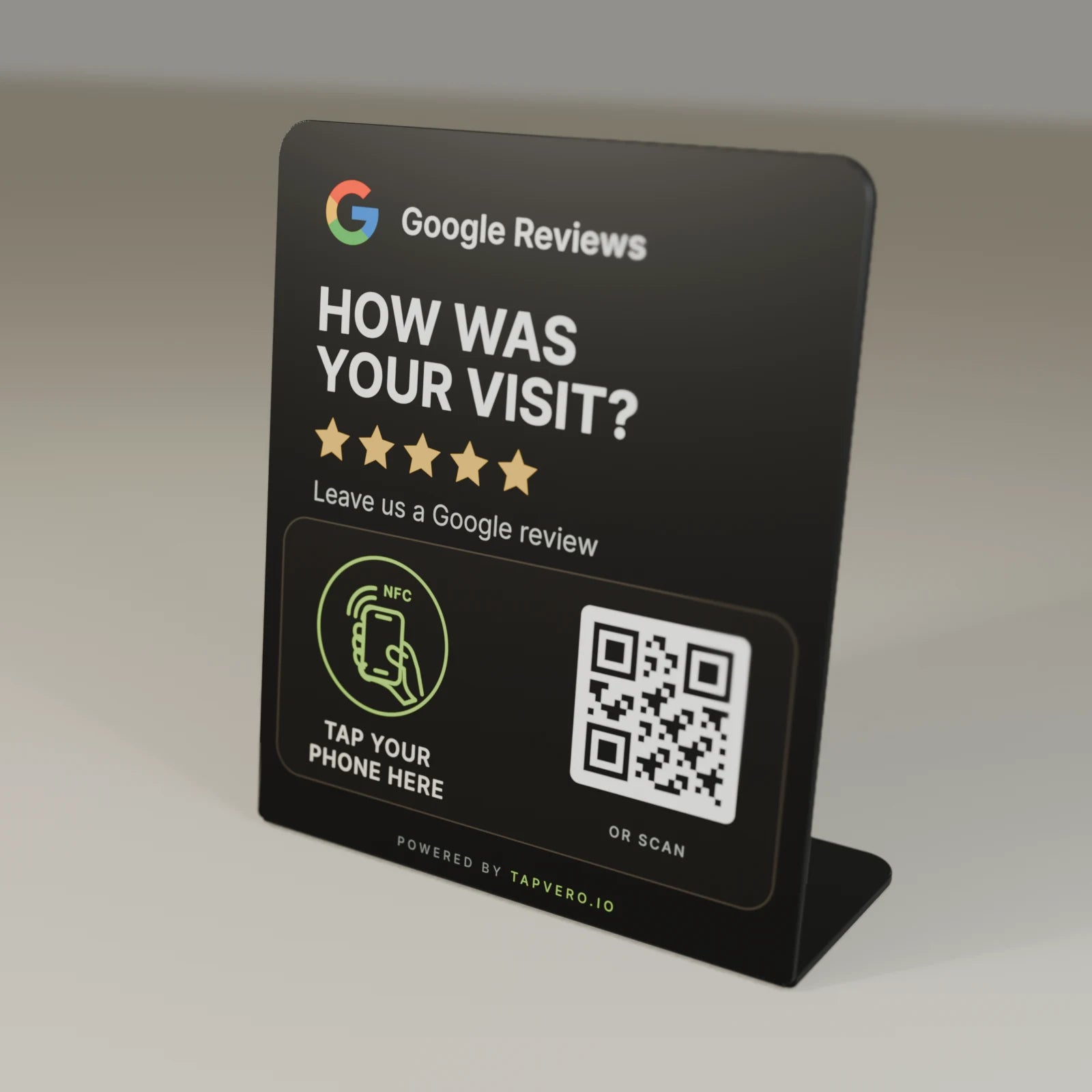
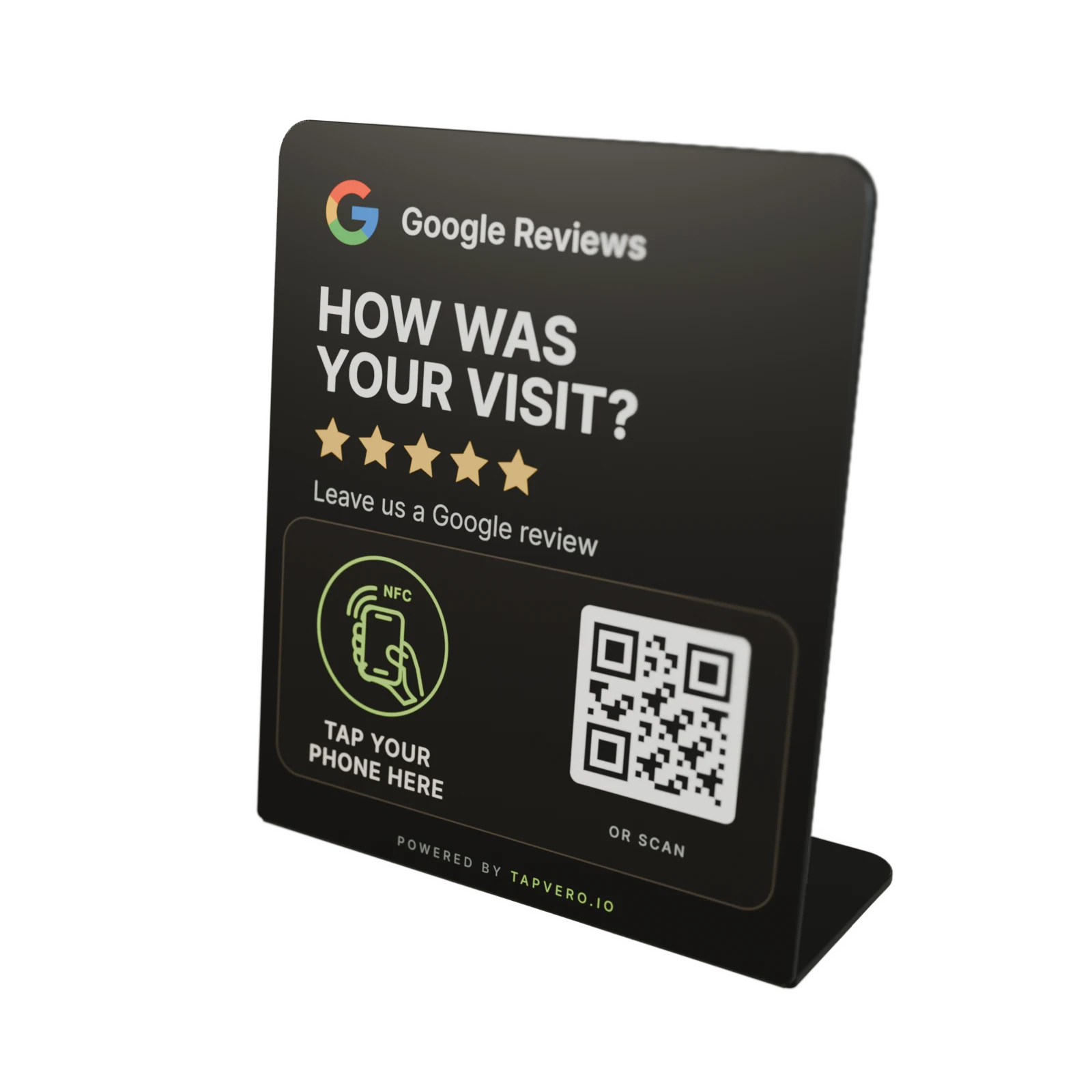
Product render of the black Tapvero Stand

Stand, Plate, or Custom

Ready-made or made for your brand.

Order Stand or Plate online. For branded or multi-location rollouts, start with a Custom Stand inquiry.

For branded rollouts
Three-quarter render of a fictional Nordholt Hotel Custom Tapvero Stand concept
360° fictional Nordholt custom-design render

Custom & bulk

Custom Stand

Customquote

A branded Tapvero Stand created around your identity, placement, quantity, and rollout.

  1. Share brand + quantity
  2. Review the design proof
  3. Confirm rollout details
Design, quantity, production details, and price are confirmed before ordering.
Fictional Nordholt Hotel Custom Tapvero Stand visualized on a hotel reception counter

Branded Custom rollouts

A review invitation that feels native to the room.

For branded and multi-location orders, share your logo, intended placement, and estimated quantity. We confirm the design and order details before production.

Discuss a Custom rollout

Nordholt Hotel is a fictional Tapvero custom-design visualization, not a customer installation.

How it works

From a customer moment to your Google review page.

No Tapvero app. No business search. Just a direct path to the review page.

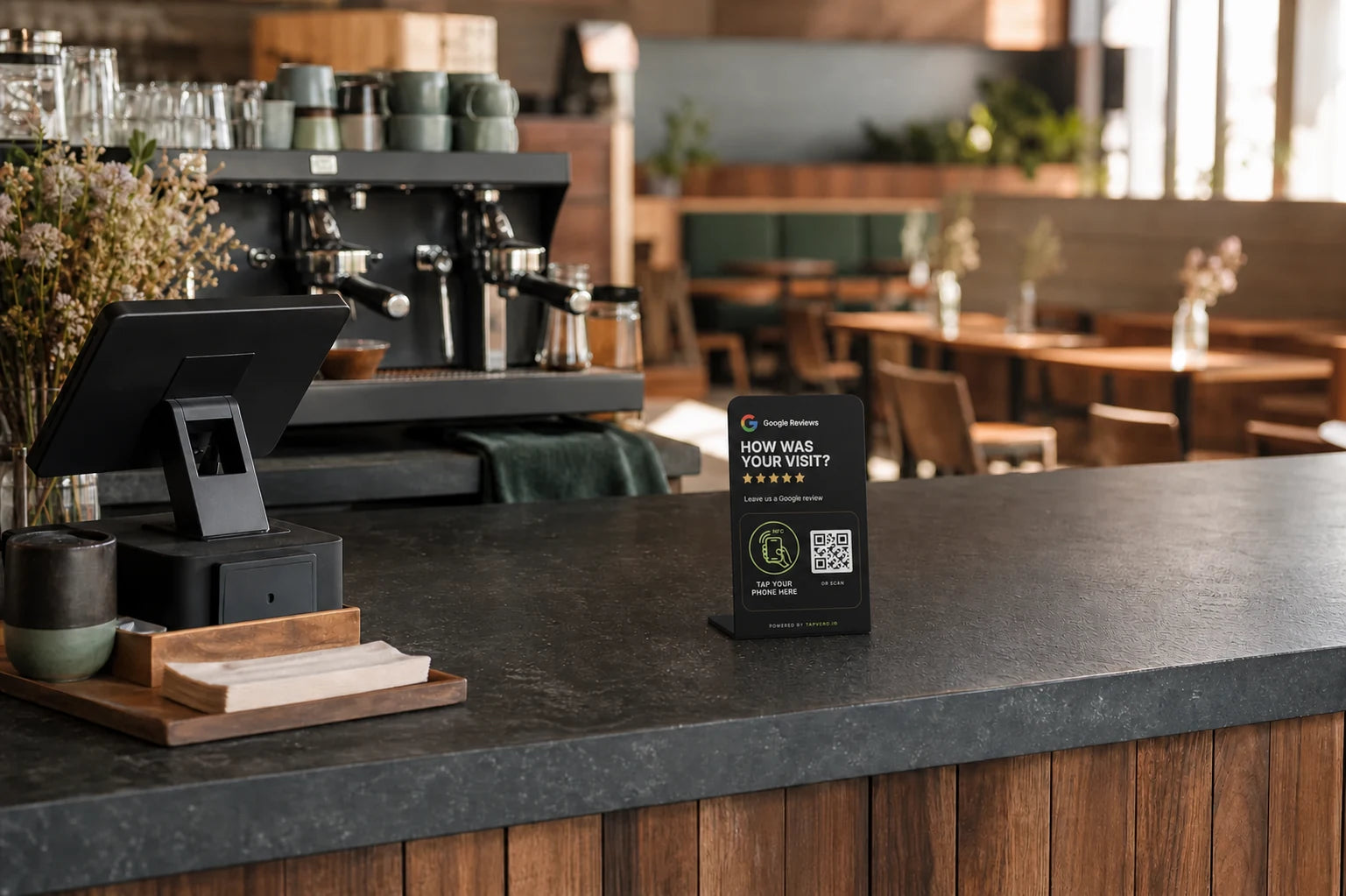
Tapvero Stand positioned beside a cafe checkout
Tapvero Stand positioned at checkout
01 · Place

Place Tapvero where the experience ends.

At checkout, reception, pickup, or the table - where asking feels natural.

Tap the marked NFC area or scan the printed QR code.
02 · Tap or scan

Customers tap or scan.

NFC and QR open the same Tapvero link, so customers can use the route that suits their phone.

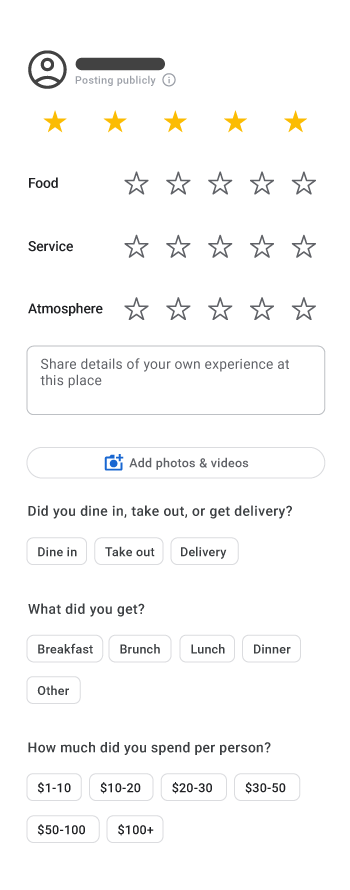
Official Google Maps Help example of the current Google review form on Android
Google review form example from Google Maps Help
03 · Review

Your Google review page opens.

Customers choose whether to leave a review and what to write.

The checkout scene is a product visualization, not customer photography. Step two uses the approved Tapvero print artwork. The Google interface example is sourced from Google Maps Help.

Why reviews matter

Reviews help customers compare and choose.

Tapvero removes steps between a positive customer moment and the Google review page.

97%

read online reviews for local businesses

Reviews are a normal part of local discovery and comparison.

Local

More reviews and positive ratings can help local ranking

Google also considers relevance, distance, and prominence.

Direct

One saved Google review link

NFC and QR give customers two ways to reach the same destination.

Sources: BrightLocal Local Consumer Review Survey 2026, 1,002 U.S. adults (methodology ); Google local ranking guidance . Category research, not Tapvero performance data.

Be easier to find

Build a more visible review presence

More reviews and positive ratings can help local ranking, alongside relevance, distance, and prominence.

Google local ranking guidance
Be easier to trust

Give customers useful context

Reviews help potential customers learn from recent experiences while they compare local options.

Google review guidance

Make honest feedback easier to leave.

Tapvero opens the review page. It never writes, filters, or posts reviews. Ask customers consistently and never offer incentives in exchange for reviews.

Tapvero is an independent product and is not affiliated with, sponsored by, or endorsed by Google.
Explore reviews and research

My products

Change the link, not the display.

After activation, each Tapvero product appears in My products. See its saved Google review link, update products separately, and check when each unit was activated or last requested.

  • View activated Tapvero products in one place
  • See and update each saved Google review link
  • Check activation date and lifetime link requests
  • See the latest recorded request time
See My products
tapveroMy products
Interface preview

My products

Sample data
Tapvero StandFront counterProduct ID · TV-DEMO-01
Active
Activation
Recorded at setup
Link requests
Lifetime count
Latest request
Timestamp recorded
Your Google review link

Link requests are technical URL requests—not unique customers, confirmed Google loads, published reviews, conversions, or attribution.

Tapvero My products preview · sample product data

Where Tapvero fits

Stand for counters. Plate for smaller surfaces.

Place the review invitation where customers naturally pause after the experience.

Tapvero Stand and Tapvero Plate product render
Two product formats · first-party Tapvero render
Tapvero Stand freestanding product render
Standing

Make the invitation visible.

For checkout, pickup, front desks, and reception points.

  • Checkout
  • Pickup
  • Reception
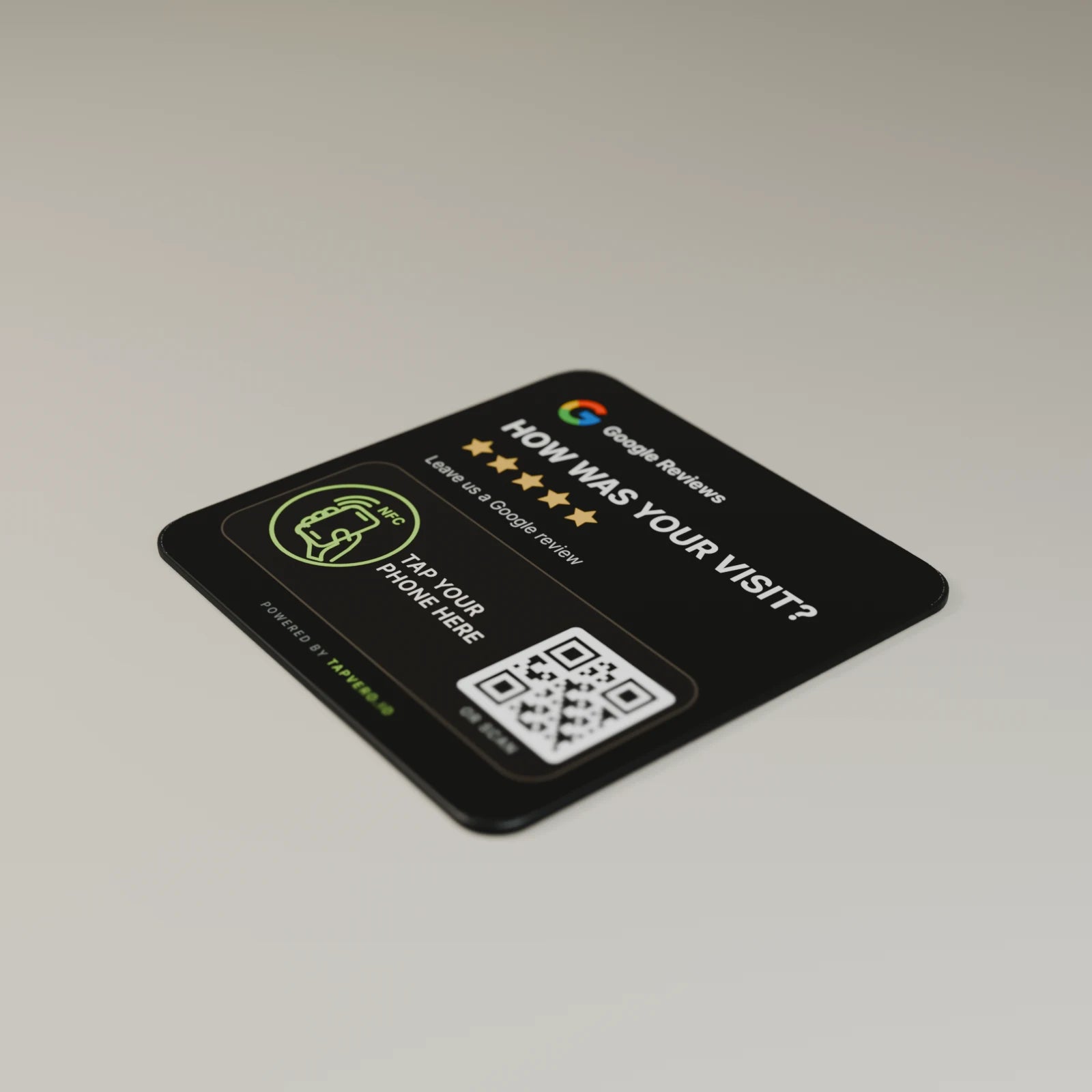
Tapvero Plate low-profile product render
Tabletop

Keep the footprint low.

For tables, waiting areas, desks, and smaller counters.

  • Tables
  • Waiting areas
  • Compact counters
  • Restaurants
  • Hotels
  • Retail
  • Salons
  • Clinics
  • Services
Find the right format for your space

Good to know

Questions before you tap.

Clear answers about the product, the link, and what customers experience.

What happens when someone taps Tapvero?

With a compatible phone, the assigned direct Google review link opens in the browser.

Does the customer need an app?

No Tapvero app is required. Customers tap or scan and continue in their browser. Google may ask them to sign in before posting a review.

What if tapping is unavailable on their phone?

Every standard Tapvero display also includes a QR code, giving the customer another way to open the same Google review link.

Can I change the link later?

Yes. After activation, update the direct Google review link in My products. The physical display, printed QR code, and NFC setup can stay in place.

Does Tapvero write or filter reviews?

No. Tapvero only opens the assigned Google review link. The customer decides whether to review and what to write.

Does Tapvero guarantee more reviews?

Tapvero removes steps between the customer and your review page, but the customer decides whether to leave a review. Results vary, so no specific increase can be guaranteed.

Is Tapvero affiliated with Google?

No. Tapvero is an independent product and is not affiliated with, sponsored by, or endorsed by Google.
Read every frequently asked question

Ready to put Tapvero to work?

Put your Google review page within easy reach.

Choose a Stand or Plate, or request a Custom Stand designed around your brand.

NFC + QR · Unique Tapvero link · Google review link editable after activation